
Receiving Level Adjustments in WSJT-X for FT8
Good FT8 reception starts long before the first decode appears. The level of the audio that reaches WSJT-X, the filters of the transceiver and the settings of the sound card in Windows all decide how many stations the software can hear.
About the Receive Level
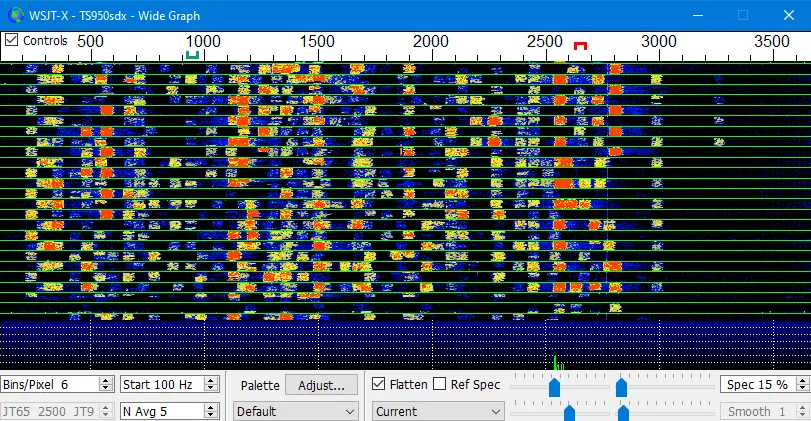
Reception works by processing the digital signal that comes from the sound card into WSJT-X. Unlike transmitting, where there is a level control to turn, on receive the adjustment has to be made in the driver of the sound card. The aim is to let WSJT-X tell the levels of the audio signals apart easily.
All sound cards built into modern transceivers, and most external USB sound cards, are 16-bit. In practice this means the card can divide the signal into 65,535 different levels. If, for example, the quietest sound is already very loud, say at 50,000, then the loudest sounds go above 65,535, they are clipped and decoding is no longer correct. Fortunately WSJT-X has a VU meter, so we can watch the receive level.
| Low level | the meter barely moves and weak stations are lost in the noise. |
|---|---|
| Normal level | the meter sits around the middle of its scale. |
| High level | the meter is near the top and strong signals are clipped. |
Transceiver Settings
- Select the "Widest" filter on your transceiver. I select 6 kHz on my Kenwood and 3.6 kHz on the Icom 7300.
- Turn off all noise reduction systems: Noise Blanker, NR, PBT, Shift etc.
- I read that the AGC should be "OFF". That is wrong and does NOT work. It is better to set it to the Mid position or Fast.
- In case nearby stations are transmitting with high power, set the AGC to Fast and use "RF Gain" (lower it a bit).
Windows 10 Settings
- 1
Right-click the speaker icon in the lower right of the status bar and select the first entry, "Open Sound settings".
- 2
This view is divided into three vertical panes. Select "Sound Control Panel" in the third, right pane.
- 3
Select the "Recording" tab and double-click the sound card of your transceiver.
- 4
Now open WSJT-X and watch the VU meter in the lower left corner, and set the recording level so that it reads about 50 when stations on FT8 are heard at a normal sound level.
Questions and Answers
Why is the level set in Windows and not in WSJT-X?
WSJT-X only reads the audio it receives. The recording level of the sound card is set in its driver, which in Windows is reached through the Sound Control Panel.
Does the level need to be checked again later?
Yes, after a Windows update, a new USB port or a different band it is worth a quick look at the meter, since any of these can change the level that reaches the software.